Patchset Management
The Patchsets section (/patch-management/patchsets) in PixelView allows administrators to create, configure, and manage modular patching packages called Patchsets.
A Patchset encapsulates one or more sequential automation workflows or OS package lists, prerequisite dependencies, execution priority levels, and metadata labels. Once defined, patchsets can be executed across host clusters through the Planner or triggered automatically via remediation policies.
Navigating to Patchsets
To access the patchsets inventory:
- In the left navigation sidebar under Patch Management, click Patchset:
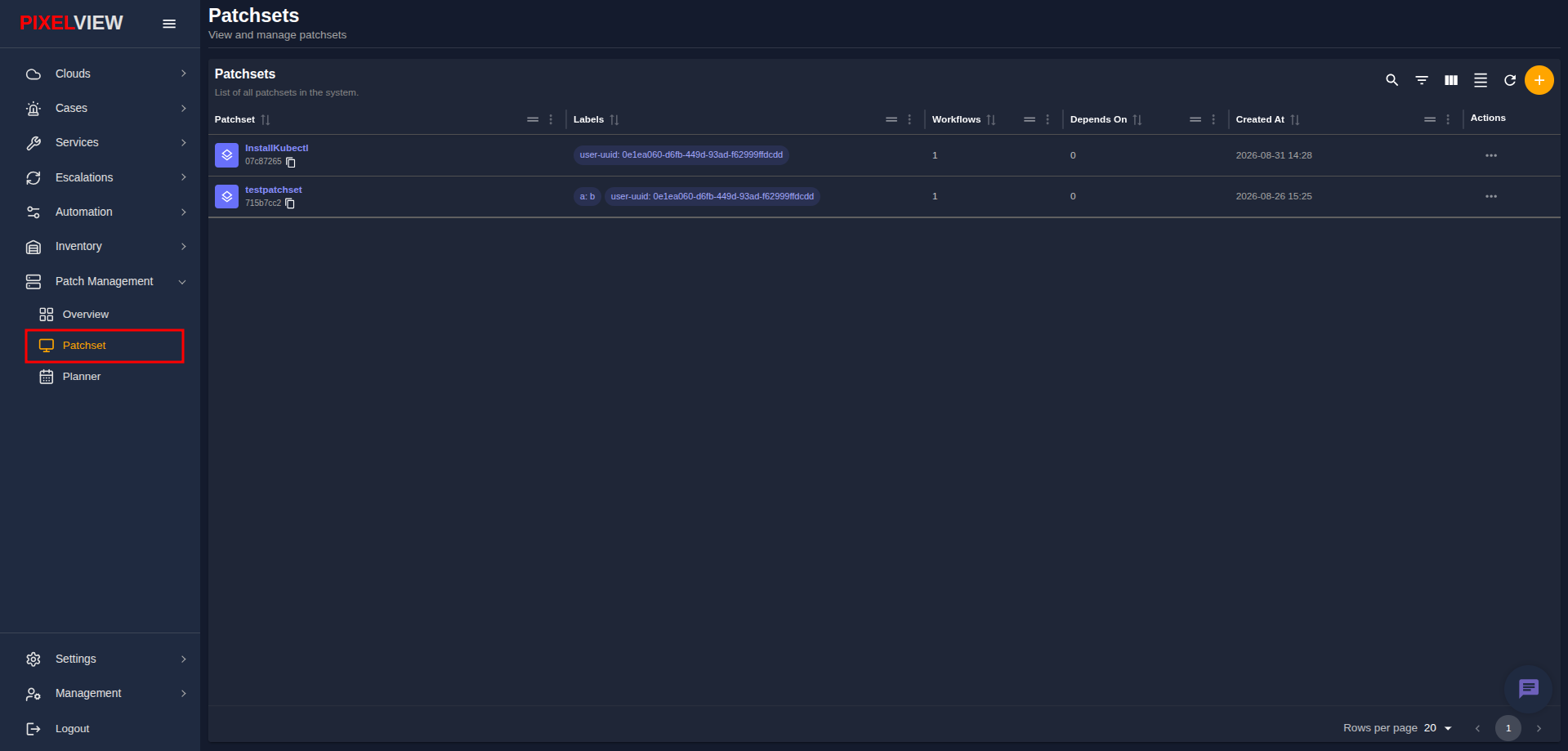
The Patchsets table displays all configured patch definitions in the system:
| Column | Description |
|---|---|
| Patchset | Display name of the patchset (e.g., InstallKubectl, testpatchset) with its system UUID and copy-to-clipboard button. |
| Labels | Attached key-value tags (e.g., user-uuid: ..., a: b) used for ownership and dynamic patch targeting. |
| Workflows | Count of sequential workflows packaged into the patchset. |
| Depends On | Count of prerequisite patchsets required before execution. |
| Created At | Timestamp indicating when the patchset was created. |
| Actions | Context menu (...) for editing or deleting the patchset. |
Creating a New Patchset
To define a new patchset:
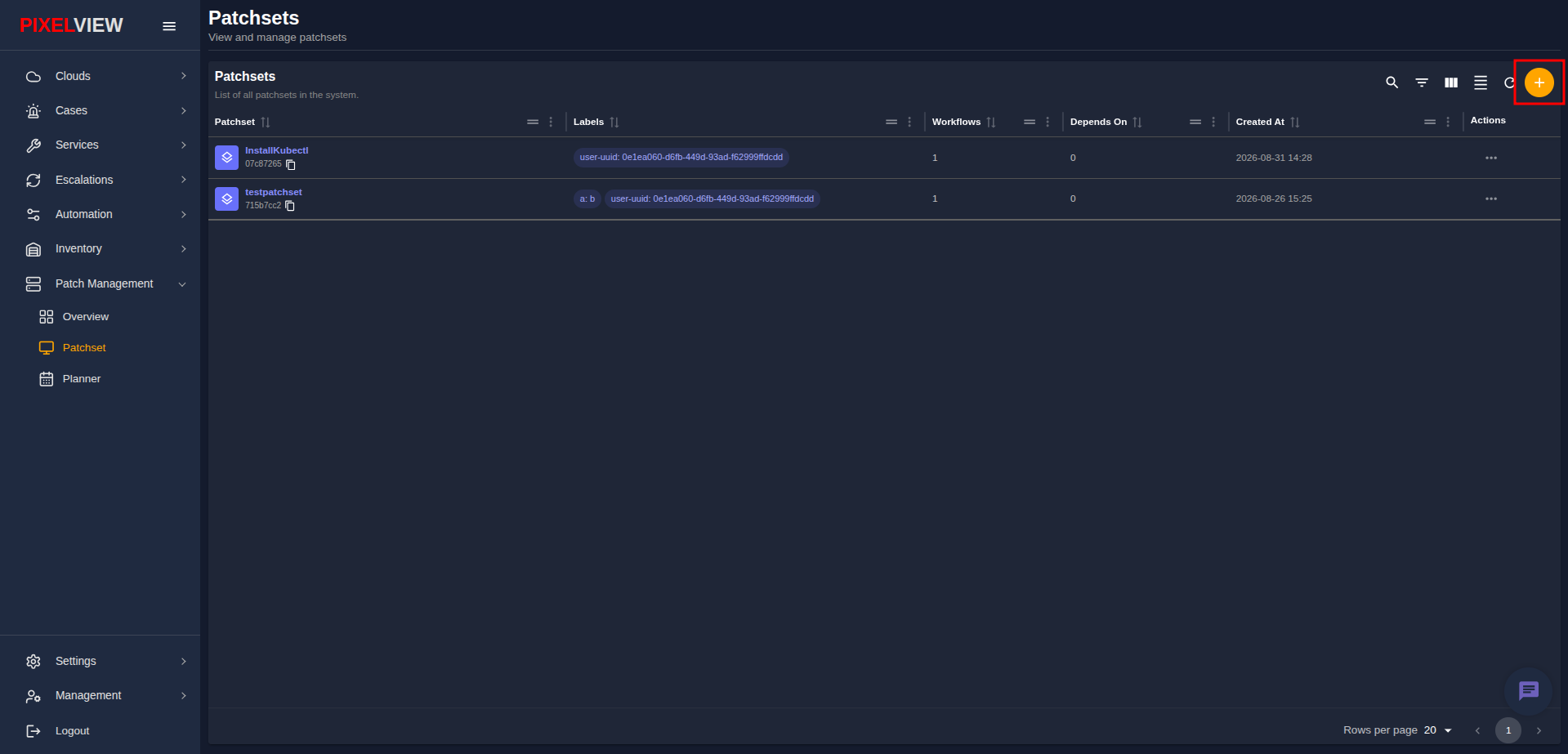
- Click the orange
+(Create patchset) button located in the top-right toolbar above the table:
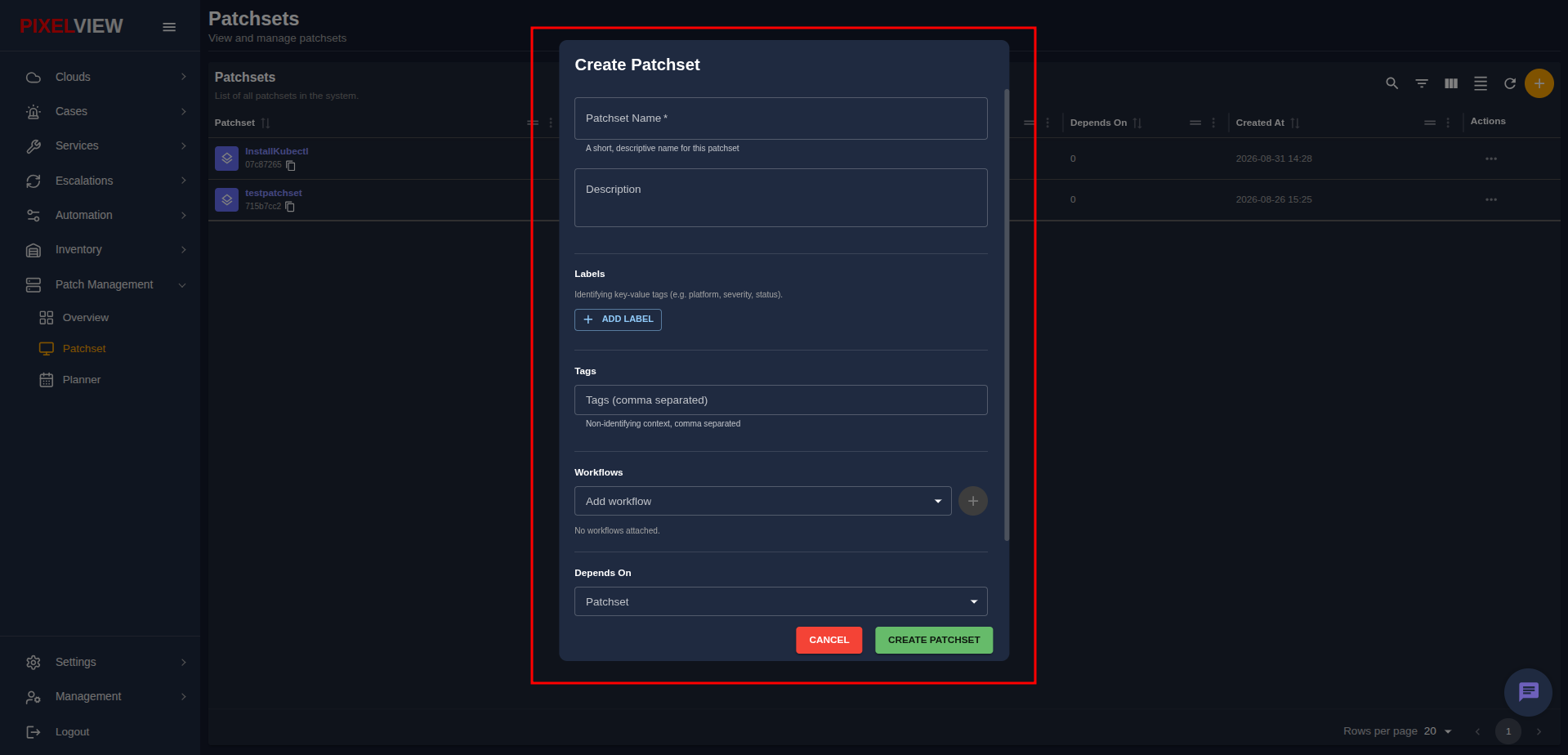
- The Create Patchset modal dialog opens:
Patchset Parameters
Configure the following parameters in the dialog:
- Patchset Name (Required): Enter a short, descriptive identifier (placeholder
Ubuntu-Security-Aug2026). - Description: Detail the operational purpose, target packages, or changelog notes (placeholder
What this patchset covers and why). - Labels: Click
ADD LABELto define key-value pairs (e.g.,env: production,tier: web) for metadata classification and dynamic filtering. - Tags (comma separated): Enter comma-separated context tags (placeholder
e.g. security, urgent, rollback-tested). - Source Type Selection (Workflows vs Packages): A patchset is driven by an ordered list of workflows or one or more package lists (never both):
- Workflows Mode: Select target automation workflows from the Add workflow dropdown and click
+to append them into the sequential execution pipeline. Reorder workflows using the arrow buttons or remove them with the trash button. - Packages Mode: Select registered OS Package Lists to apply version-pinned package baselines directly.
- Depends On: Select any prerequisite patchset that must successfully complete on a target host before this patchset executes. Optionally enter a dependency note (placeholder
Why this dependency exists) and click ADD DEPENDENCY. - Click CREATE PATCHSET to persist and register the patch definition.
Managing Patchsets & Table Actions
Click the ... (Actions) menu on any patchset row to access management options:
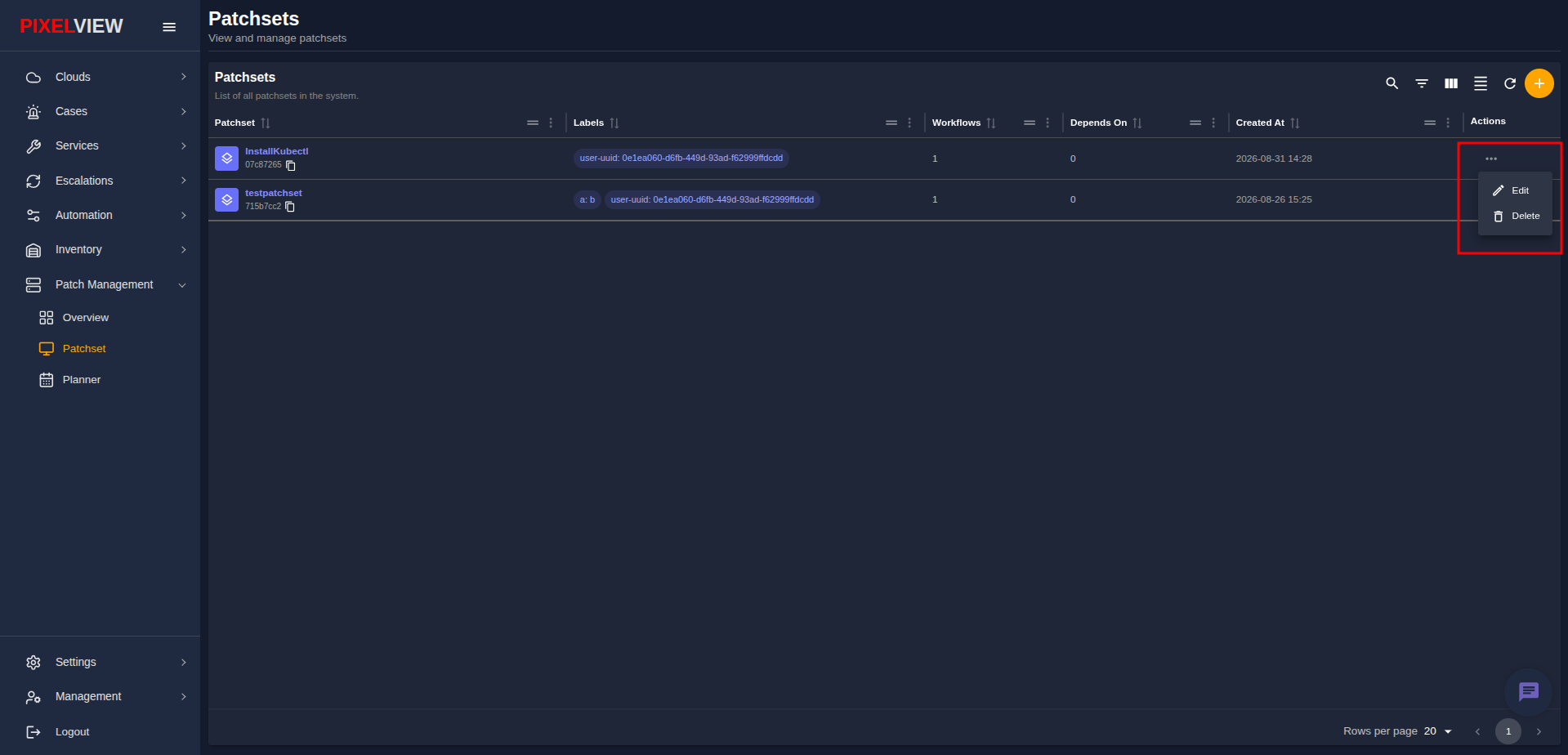
- Edit: Modify the patchset display name, description, labels, attached workflows, and dependencies.
- Delete: Permanently remove the patchset definition from PixelView.
Inspecting Patchset Details
Click on any patchset name in the table (such as InstallKubectl) to open its comprehensive details dashboard:
Header Metadata & Configuration
The top header panel displays essential configuration properties:
* Priority: Execution priority ranking (e.g., 100).
* Created At & Updated At: Timestamps of initial creation and latest update.
* UUID: System-generated unique identifier with quick-copy control.
* Labels & Tags: Assigned metadata tags and ownership attributes.
Sequential Workflows Tab
By default, the WORKFLOWS tab is selected, displaying the execution sequence:
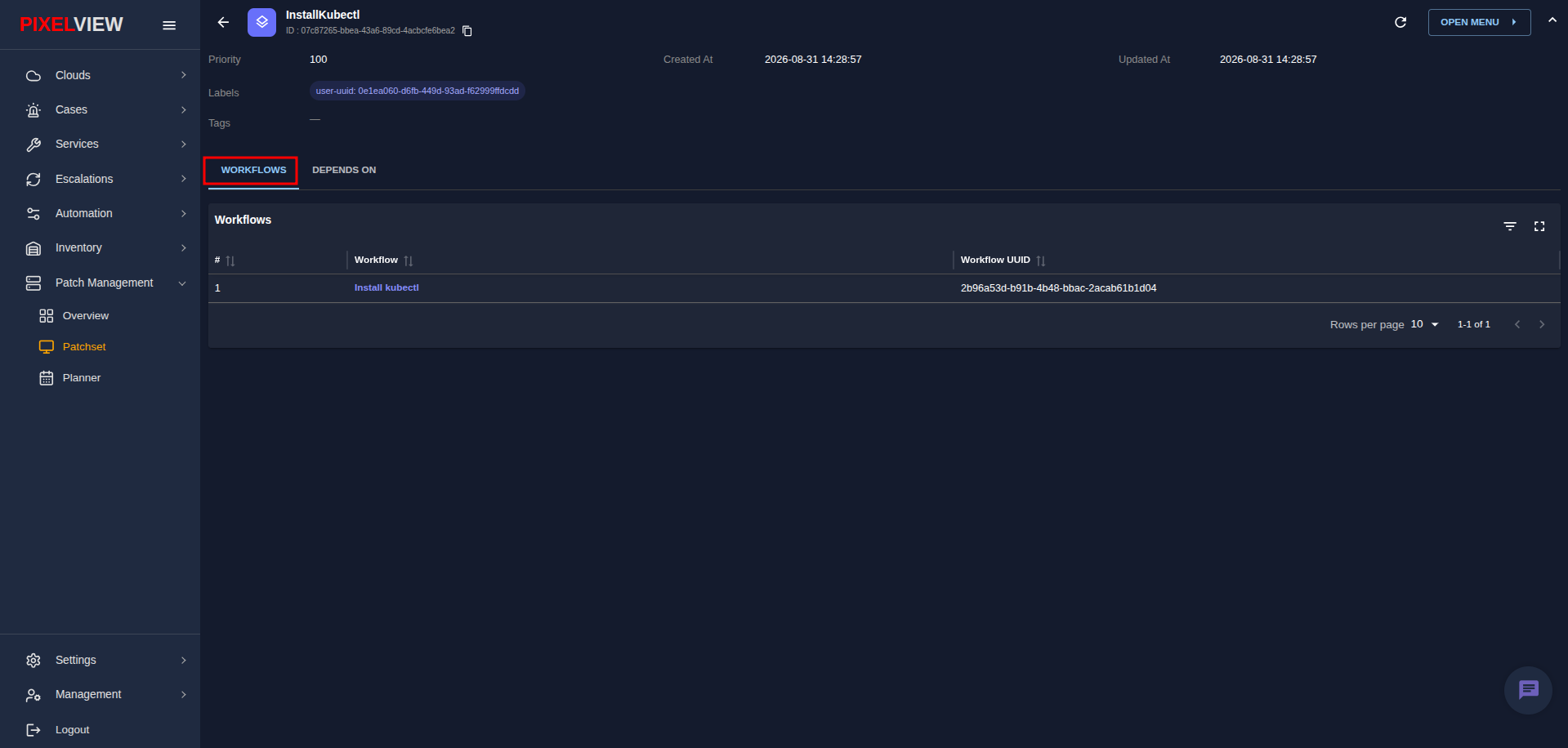
- Execution Order: Lists attached workflows in exact sequential order (e.g.,
Install kubectlwith UUID2b96a53d). - Sequential Guarantee: When deployed to a host, workflows execute in sequence; if a step fails, subsequent workflows are halted according to the safety error policy.
Inspecting Associated Playbooks & Scripts
Clicking on an attached workflow displays its underlying automation assets:
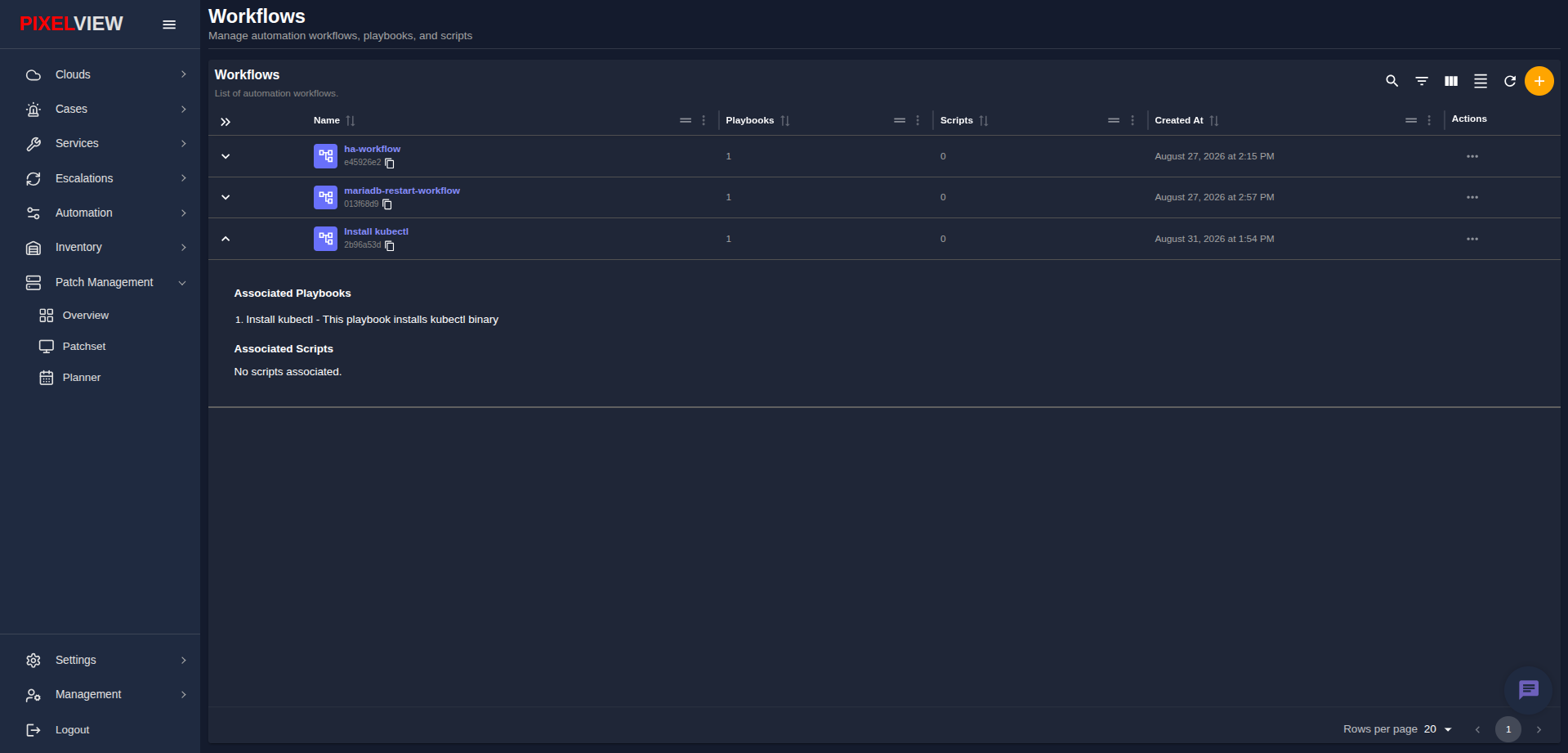
- Associated Playbooks: Displays the underlying Ansible playbooks (e.g.,
Install kubectl - This playbook installs kubectl binary). - Associated Scripts: Displays any custom standalone scripts executed within the pipeline.
Prerequisite Dependencies (Depends On Tab)
Switch to the DEPENDS ON tab to inspect prerequisite patchsets:
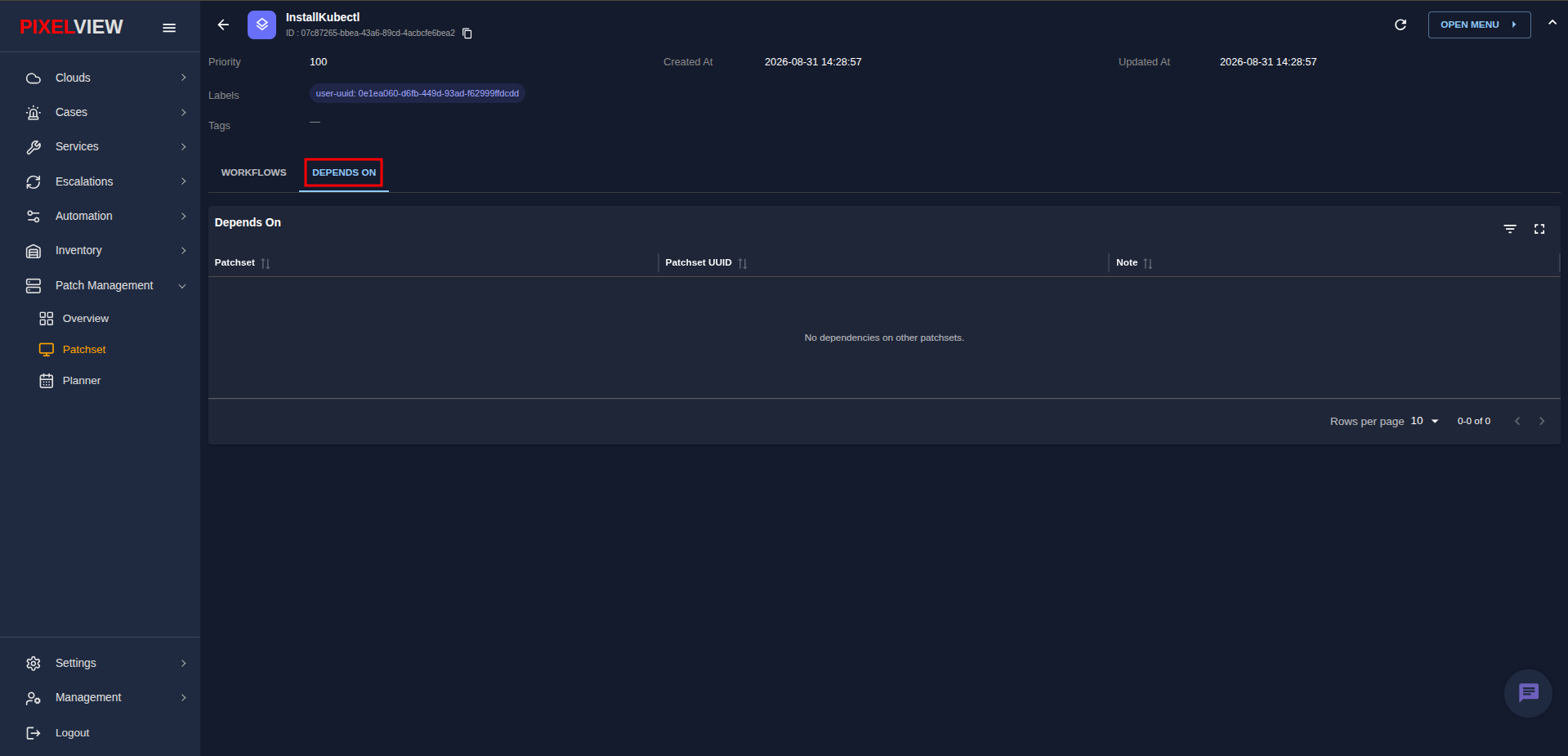
- Prerequisite Chain: Lists patchsets that must be applied and verified on target hosts before this patchset can run.
- Standalone Patchsets: Patchsets without prerequisites display No dependencies on other patchsets, meaning they can be deployed independently.
Header Action Menu
Click the OPEN MENU > button in the top-right corner of the patchset details page:
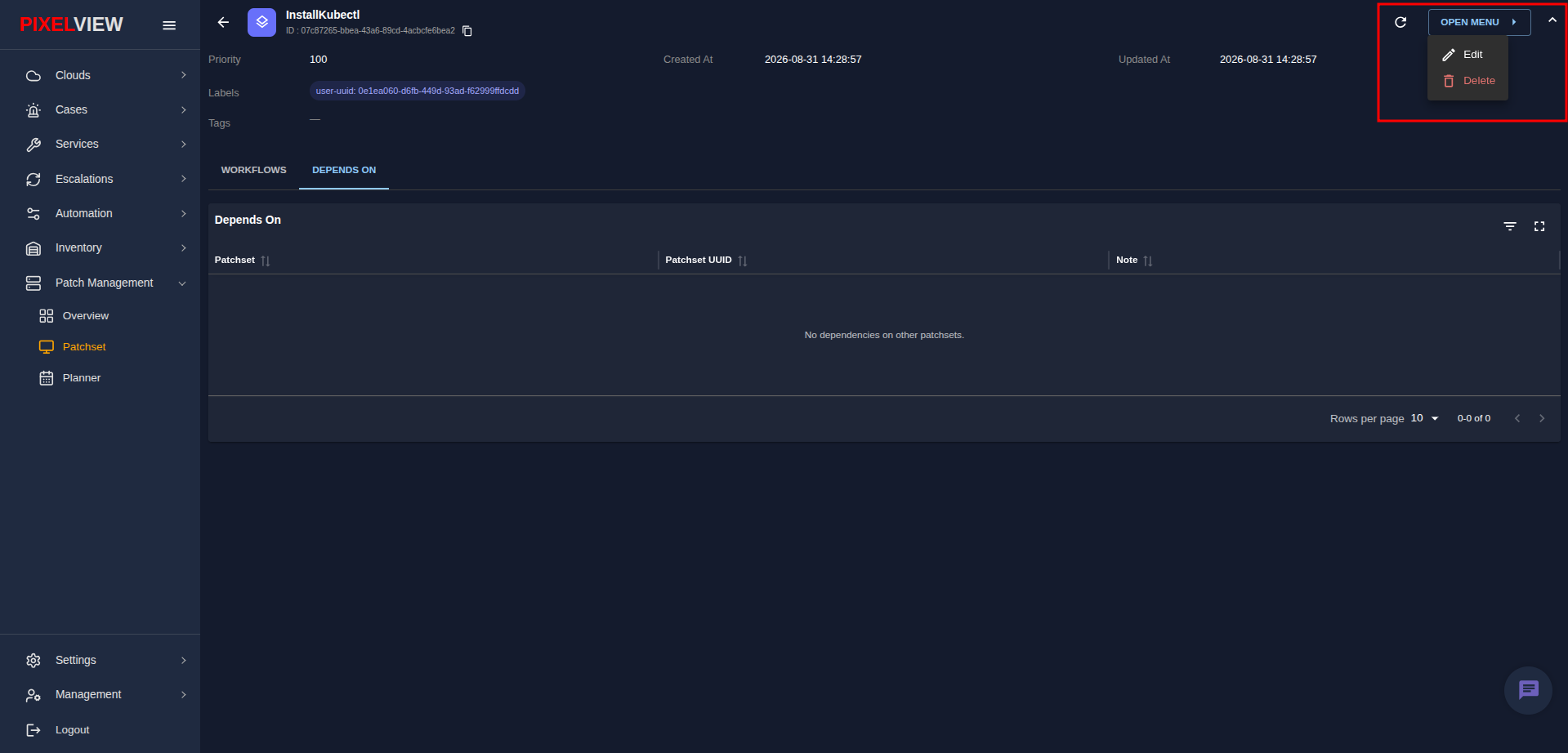
- Edit: Quick shortcut to update patchset properties, workflows, or dependencies.
- Delete: Delete the patchset directly from its details view.