Automation Bots
The Bots section (/bots) in PixelView manages automation bots and automated webhook endpoints. These bots execute automated remediation workflows, trigger external actions, and handle alert escalation levels without requiring human intervention.
Viewing Automation Bots
Navigate to Management > Bots from the left navigation sidebar:
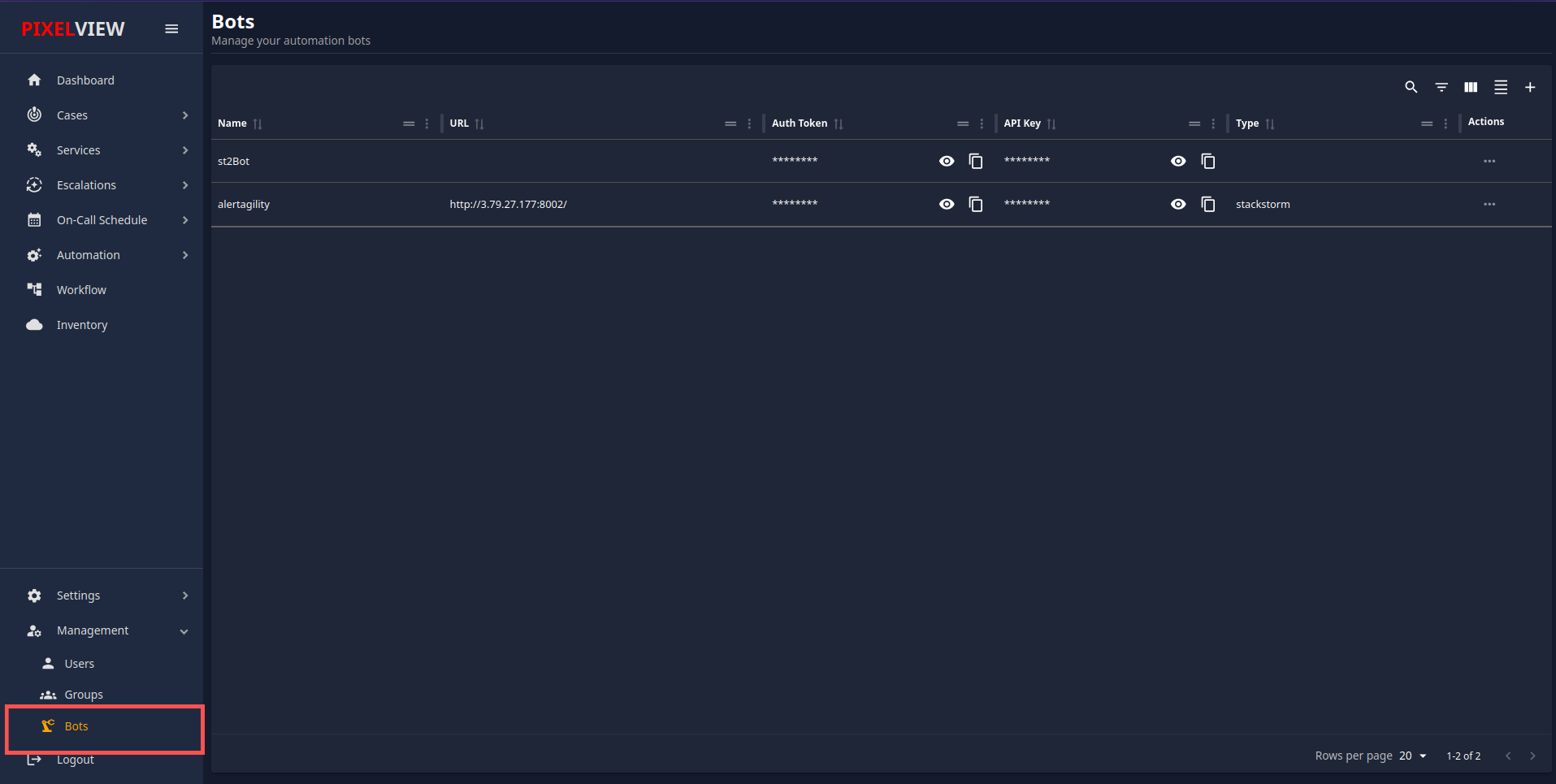
The bots table provides an inventory of all configured automation bots:
| Column | Description |
|---|---|
| Name | Display name identifying the bot. |
| URL | Fully qualified endpoint URL where the bot service listens for events and payloads. |
| Auth Token | Authentication token used by PixelView to authenticate outgoing requests to the bot endpoint. Masked with confidential toggle & copy controls. |
| API Key | System-generated API key assigned to the bot. Masked with confidential toggle & copy controls. |
| Type | Bot execution engine type: • StackStorm — Connects to a StackStorm automation action runner. • Custom — Custom webhook handler or script integration. |
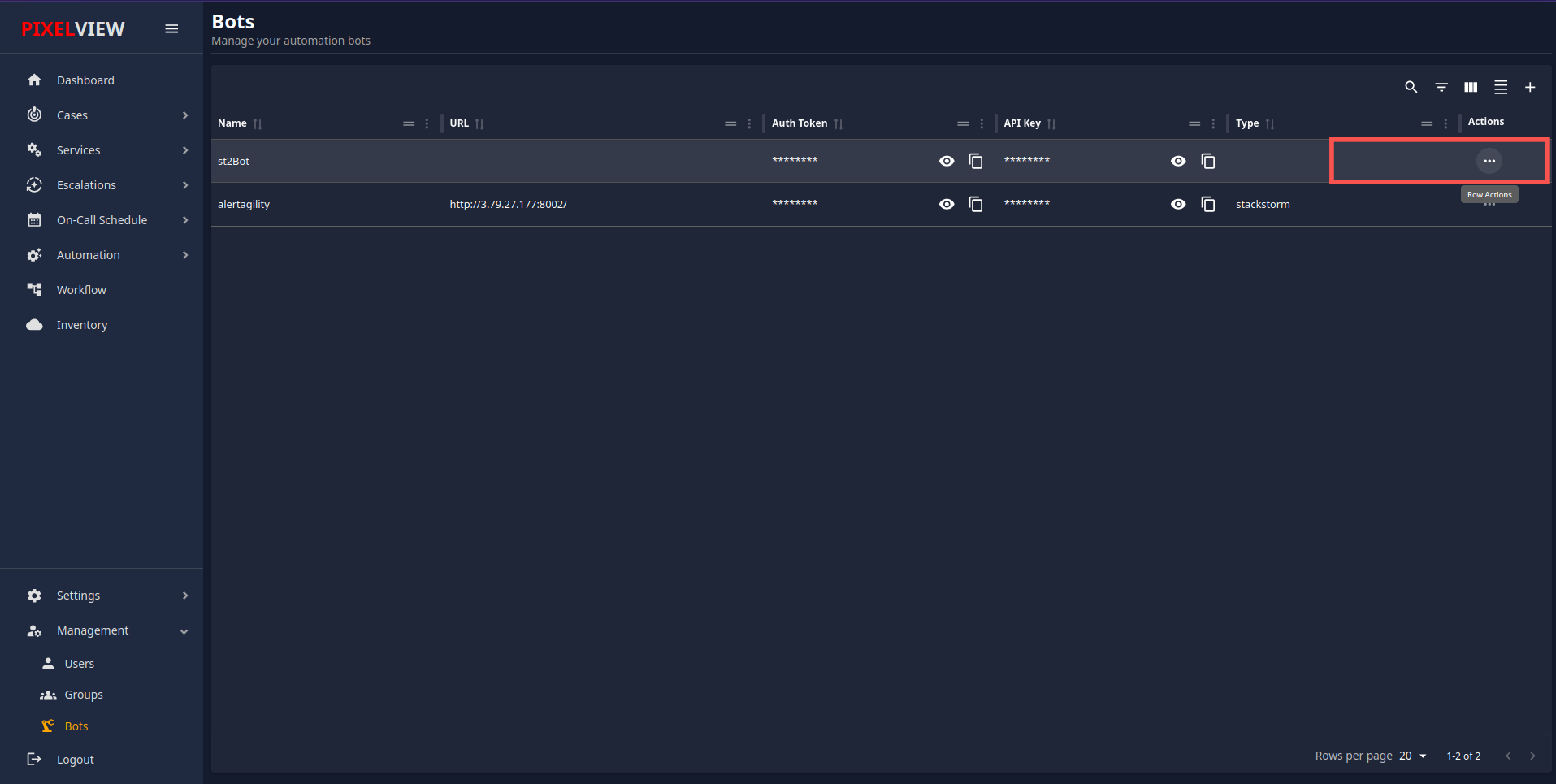
| Actions | Context menu (...) allowing administrators to Delete the bot. |
Table Toolbar Controls:
* Search / Global Filter: Search across bot names, types, and URLs.
* Toggle Column Filters: Filter specific columns.
* Show/Hide Columns: Customize visible headers in the table.
* Density Toggle: Toggle between compact and relaxed row height.
* Refresh: Fetch the latest bot list from the server.
* Add Bot (+): Open the bot creation modal.
Adding a New Bot
To register a new automation bot in PixelView:
- Click the
+(Add Bot) button in the top-right corner of the table toolbar: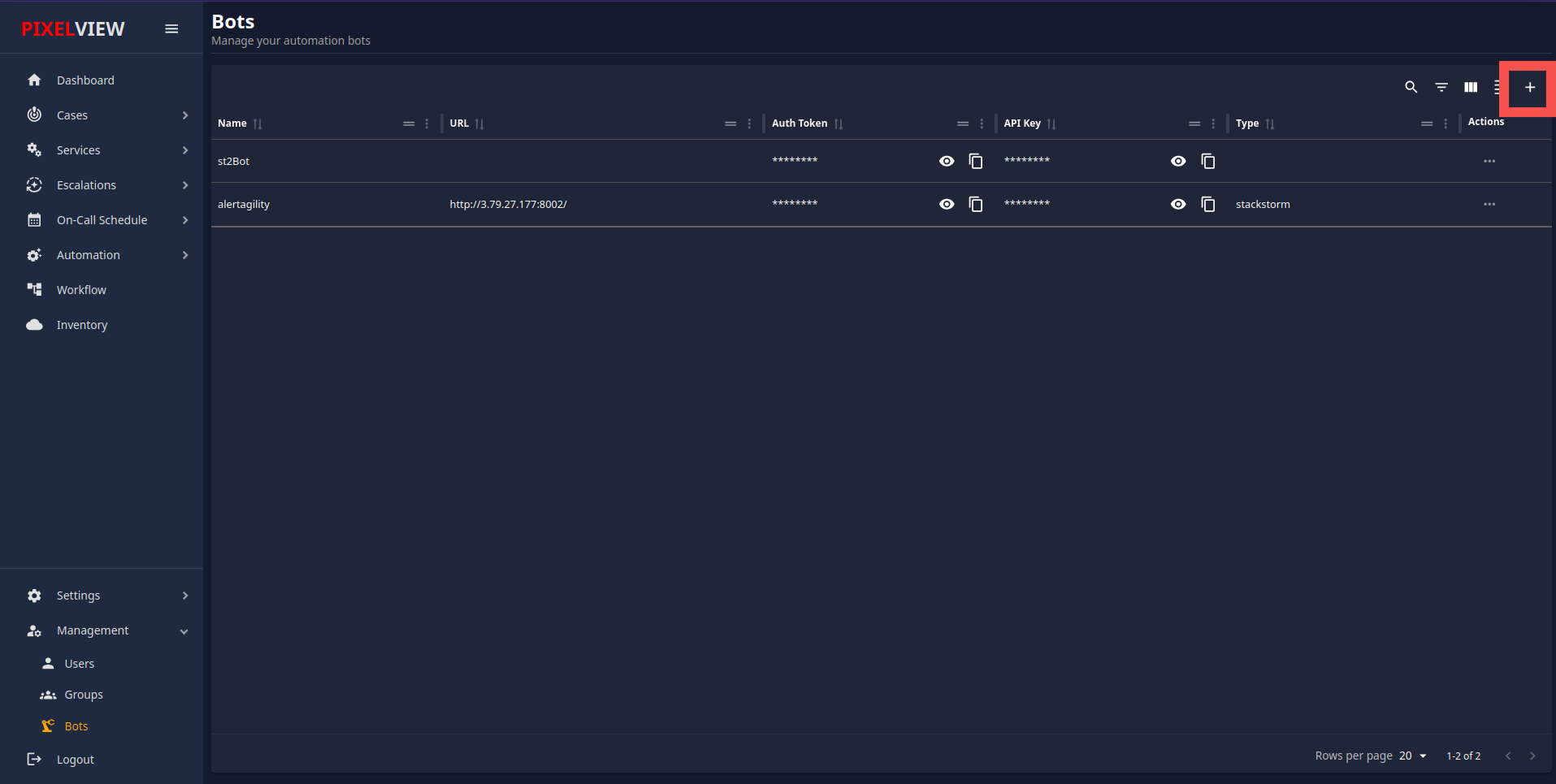
- In the Add Bot modal dialog, configure the required parameters:
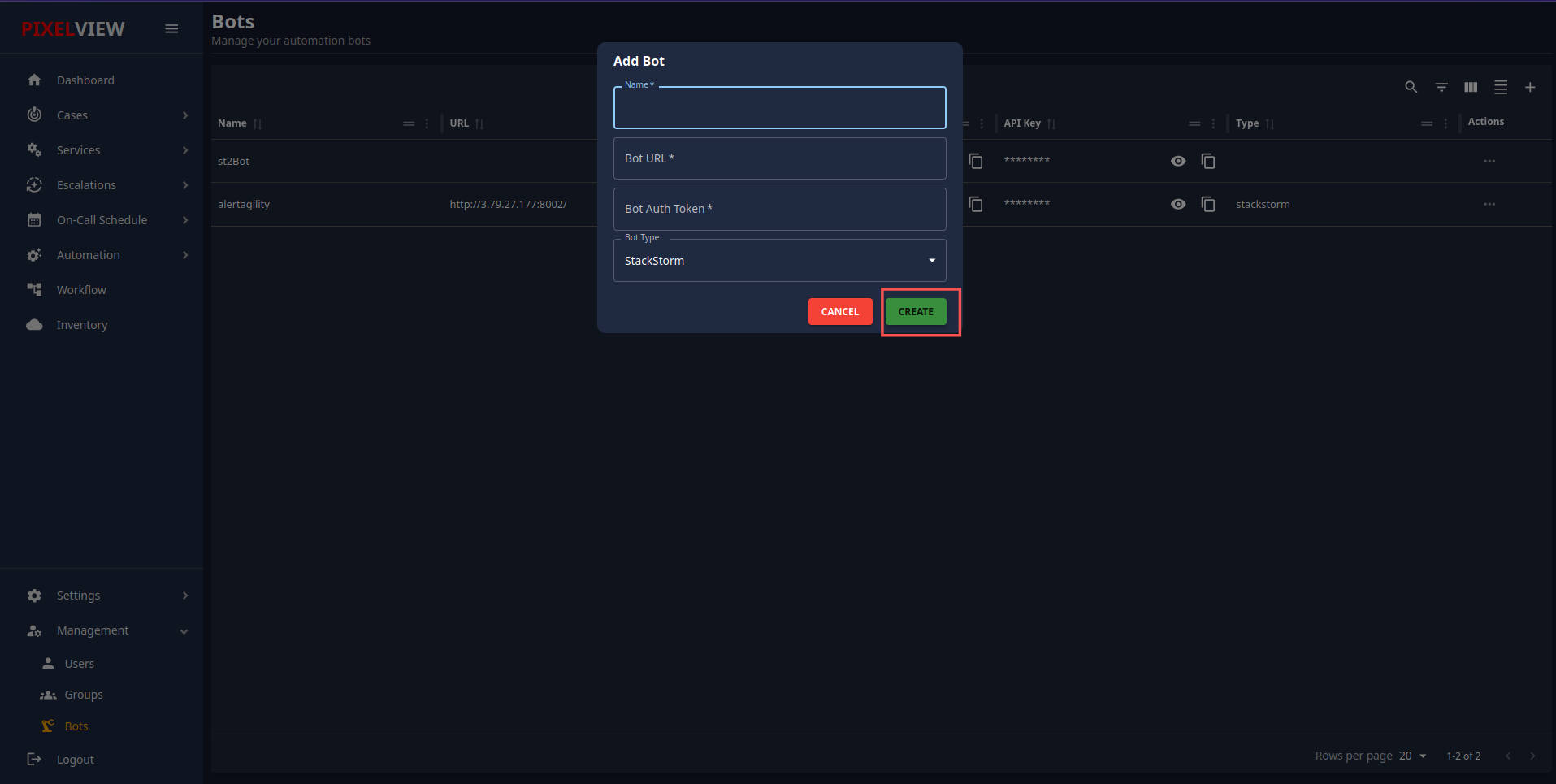
- Name (Required): A unique name for your bot (e.g.,
StackStorm Runner,Disk Cleanup Bot). - Bot URL (Required): The fully qualified URL or IP endpoint where the bot can be reached.
- Bot Auth Token (Required): The secret token used for payload verification.
- Bot Type (Required): Select the bot engine from the dropdown:
- StackStorm: Standard StackStorm automation integration.
- Custom: Custom webhook endpoint or custom automation bot.
- Click Create (shows Creating... while registering).
Managing Bot Secrets & Actions
Viewing and Copying Tokens
Both the Auth Token and API Key columns use security masking by default (••••••••):
* Click the Eye Icon to temporarily reveal the plaintext token.
* Click the Copy Icon to copy the token directly to your clipboard.
Deleting a Bot
- In the Bots table, click the
...icon under the Actions column for the target bot. - Select Delete (Trash Icon):
- Confirm the deletion prompt (
Are you sure you want to delete <Bot Name>?). - The bot will be permanently detached and removed from the system.
Using Bots in Escalation Policies
Once registered, bots can be automatically assigned to alert escalation workflows:
- In Escalations → Policies, operators configure escalation tiers with the Assign To Automation action.
- Select the desired bot from the dropdown. When an unresolved incident reaches this escalation tier, PixelView dispatches the alert payload directly to the bot's configured endpoint.
Outbound Bot Webhook Specification
When an escalation tier or automation rule invokes a registered bot, PixelView sends an authenticated HTTP POST request to the configured bot_url:
Request Headers
POST /api/v1/remediate HTTP/1.1
Host: bot.example.com
Authorization: Bearer <bot_auth_token>
X-API-KEY: <api_key>
Content-Type: application/json
User-Agent: PixelView-AutomationBot/1.0
JSON Dispatch Payload
{
  "event_id": "evt-8c29b41a-3e77-4f9a-9e62-0b1a6299b1a5",
  "bot_name": "Disk Cleanup Bot",
  "bot_type": "custom",
  "timestamp": "2026-09-10T14:30:00Z",
  "case": {
    "uuid": "case-94b1c20e-7d6a-4c28-98e2-f4728923a109",
    "title": "High Disk Space Utilization on database-prod-01",
    "severity": "critical",
    "status": "open",
    "target_host": "10.0.12.45",
    "service_name": "Prometheus-Ingress"
  },
  "labels": {
    "env": "production",
    "mount": "/var/lib/mysql",
    "threshold": "95%"
  }
}
Bot Response & Lifecycle Handling
- Expected HTTP Response: The receiving bot service must respond with HTTP
200 OKor202 Acceptedto acknowledge receipt. - Incident Auto-Resolution: Upon successfully completing remediation, the bot can call PixelView's REST API (
/api/v1/cases/:uuid) withstatus: "resolved"and an appended timeline note, automatically halting subsequent escalation tiers.